Friday, May 08, 2009


Wednesday, April 22, 2009
YouCube
YouCube Demo Video from Aaron Meyers on Vimeo.
YouCube is a little project I've put together over the last two days. It allows you to map YouTube videos onto an interactive 3D cube and then save it to a database so you can show your friends. As you spin around a YouCube, the sounds of the different videos fade in and out. Its fun!
I apologize that the functionality for browsing the YouCube database is currently just an incredibly crude html page. I hope to build something a bit nicer real soon. Special thanks to everyone who made cubes and helped me test yesterday.
This was all put together rather hastily so if you find bugs that need my attention, please drop me a note about it.
Visit the YouCube page and get cracking!
YouCube
Browse other YouCubes
Sunday, March 22, 2009
Processing based 360 degree video app
Noelb on the processing.org forums responded (deftly) to a video thing query and has made a processing sketch, (downloadable as java applets for Mac, Linux, and Windows) that will do with a live video input, what video thing-ers were having to render out with After Effects before- namely to unwrap their ghetto 360 degree video projects.
Here's the processing.org forum thread
Here's the processing.org forum thread
Tuesday, March 03, 2009
My First VJ outing with VDMX
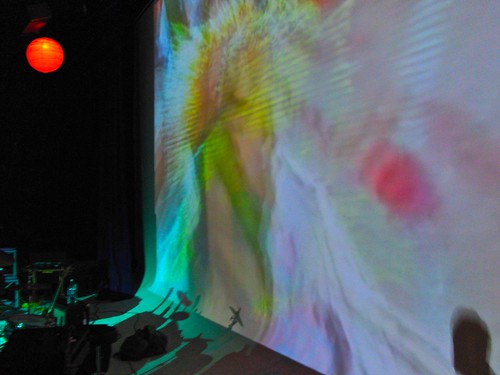
So, on saturday I had my first public performance with VDMX. I was going from my Macbook Pro to an HD projector through a byzantine array of converters since there is no publicly available mini-display port to HDMI or component adapter. My signal was squashed to SD over RCA, but that was ok, since none of my source material was HD. Monoprice.com is supposed to have a Mini-display to HDMI adapter ready by the 15th of this month, so we'll see how that works out next time.
Overall I was pleased with VDMX. My setup had to run itself, because I was going to be busy playing keys with my band, and running around like a headless chicken for the rest of the show. I made three layers, one on top using an OpenGL add mode, two on bottom, transitioning back and forth using a quartz composition 'xerox' wipe. All the layers had clips cycling through them using a step sequencer. Since I had my computer in a balcony VJ booth, I was able to include a video input as a clip in my bin, and then angle the camera in my MacBook screen down at the audience so occasionally there would be a crowd shot projected, which seemed to give the audience a kick.
My visuals did get a little washed out due to so much simultaneous stuff going on at once with that OpenGL add mode, but that's something that shouldn't be too difficult to improve on next round. I may also try to add touchOSC controls from my iphone next time, although I am pretty content to just let the thing run itself so I don't have to worry about it. If I was vj'ing for another band I would probably add a midi controller and work that way.
I'll post my vdmx project file in a bit, as well as some video of the show when I track some down.
Create Digital Motion's post about the pains of getting mini-display out to most projectors and televisions
Sunday, February 22, 2009
Plex Media Center for OS X
An interesting new XBMC branch that is only for the Mac: Plex Media Center for OS X
Thursday, February 19, 2009
Wednesday, February 11, 2009
Friday, February 06, 2009
MAKE: Blog: Art and Code Symposium

Registration opens today for the Art and Code symposium -- it's a low-key conference teaching a variety of tools specially developed for use in the arts and education to artists, young people, and everyone else. Among the presenters will be many of the people behind these tools, including the creators of Processing -- the software environment used with the Arduino. [...]
Link
MAKE: Blog: Art and Code Symposium
Friday, January 30, 2009
v002 - The Rutt Etra emulator
Visualist Vade has created a Quartz Composer and VDMX compatible emulator for the Rutt/Etra analog video synth, with the assistance of co-designer and Video Thing hero Bill Etra:
Any donations recieved from the download page will be used to help Bill Etra, who is now living on disability and no longer has funding for his work.
Link
v002 Rutt/Etra attempts to emulate the Rutt/Etra raster-based analog synthesizer.
The original Rutt/Etra machine was one of the first voltage-controlled video special effects systems and video synthesizers.
The Rutt/Etra is named after Steve Rutt and Bill Etra, the two engineers and artists who designed the machine. Bill Etra, Nam June Paik, Woody and Steina Vasulka, and many other artists composed visual art with the Rutt/Etra in the blossoming video art movement of the early 1970s.
The Rutt Etra fundamentally “understood” video signals, and allowed the patching of different video sync rate oscillators to control, offset and famously “z-displace” the resulting video, an effect most memorably demonstrated in the work of the Vasulkas. The Rutt/Etra is capable of much more, however.
v002 Rutt/Etra is an attempt to capture some of the beauty of the original hardware. It’s almost impossible to emulate an entire Rutt/Etra, as modern graphics and computer systems make fundamentally different assumptions from analog video systems. This plugin is a work in progress, and we will try our best to make it as faithful as possible to the original while exploring new creative possibilities.

Any donations recieved from the download page will be used to help Bill Etra, who is now living on disability and no longer has funding for his work.
Link
Wednesday, January 21, 2009
Tuesday, December 23, 2008
Monday, December 01, 2008
Wednesday, November 26, 2008
boxee blog � boxee on Apple TV 2.3
Boxee has their USB creator patchstick app working for Apple TV version 2.3 now. As my friend Scott said, it's an arms race from here out. Boxee is a competitor to iTunes now, and competition can only help both applications from a user perspective. boxee blog boxee on Apple TV 2.3
Tuesday, November 25, 2008
Thursday, November 20, 2008
AppleTV 2.3 update kills boxee
While mixed video/audio playlists are something I've been looking for since version 1, The new Apple TV update is mostly insignificant feature additions, and breaks Boxee, which makes it pretty undesirable at the moment. When Apple gives us the features that we want, and that the device is obviously capable of, people will stop hacking it en masse. Imagine if iTunes had got its start by disallowing CD ripping and only letting you play music that was purchased from Apple or made in Garageband. The reality is that people already have tons of digital media, and the further that Apple gets from trusting users to be responsible with how they acquire and manage media and the more they dictate usage and cripple featuresets, the less successful they will be. It's their product and their choice, but if there's a way to make it work the way we want it to, people will continue to do it. link
Tuesday, November 04, 2008
Thursday, October 23, 2008
Boxee: the open, connected, social media center for mac os x and linux
I've been using an AppleTV since it was released. A device with great potential (cheap, HD enabled, great integration with iTunes) crippled intentionally by Apple's need to tie it directly to iTunes only- Since it's still illegal to rip your DVD collection to file in the Rip, Mix, Burn style we've become accustomed to in iTunes, the AppleTV eschews any video media you have in naughty 'pirate' formats like DivX, and only wants to play video purchased from the iTunes store or DRM-less mp4 files you ostensibly made yourself or that come from podcasts. Every weird movie curator worth his salt that I know now has a couple of terabyte drives filled with DivX's and subtitle files, and we are not anyone's target user. AppleTV's free online video solution is also centered around YouTube, while Hulu is hosting tons of high-quality free movies and TV shows.
A range of hacks have been available for the AppleTV to make it do everything from play exotic video formats off network drives to order pizza, but they have all been difficult to install (I've learned more unix hacking my AppleTV than when I worked tech support at Apple) hard to use and break frequently, on their own or whenever a small AppleTV update comes out.
Enter Boxee. A new improved application helps you build a usb patchstick, which you plug into the service port on the appleTV, installs boxee and the supporting Xbox Media Center software it's based on. Previous hacks involved building a patchstick and then doing seperate Apple TV installs using SFTP and SSH, but that little difference isn't what makes Boxee better. Once you have boxee installed (and activate your account on http://boxee.tv, you'll need to apply for an alpha tester account first, sorry) the real difference is in the interface and thouroughness of the implementation. Boxee does everything the AppleTV always should have done. It recognizes your network drives (on the mac you'll have to turn on Samba sharing in your sharing preferences), plays every video format, displays subtitle files beautifully, finds posters, synopsis and trailers for media names it recognizes online, has Last.fm like social scrobbling features (not to mention actual access to Last.fm, as well as myspace video, hulu, Youtube and a host of other free video and music outlets) and the integration is beautiful.
quick intro to boxee from boxee on Vimeo.
I installed it last night and I'm smitten.
A range of hacks have been available for the AppleTV to make it do everything from play exotic video formats off network drives to order pizza, but they have all been difficult to install (I've learned more unix hacking my AppleTV than when I worked tech support at Apple) hard to use and break frequently, on their own or whenever a small AppleTV update comes out.
Enter Boxee. A new improved application helps you build a usb patchstick, which you plug into the service port on the appleTV, installs boxee and the supporting Xbox Media Center software it's based on. Previous hacks involved building a patchstick and then doing seperate Apple TV installs using SFTP and SSH, but that little difference isn't what makes Boxee better. Once you have boxee installed (and activate your account on http://boxee.tv, you'll need to apply for an alpha tester account first, sorry) the real difference is in the interface and thouroughness of the implementation. Boxee does everything the AppleTV always should have done. It recognizes your network drives (on the mac you'll have to turn on Samba sharing in your sharing preferences), plays every video format, displays subtitle files beautifully, finds posters, synopsis and trailers for media names it recognizes online, has Last.fm like social scrobbling features (not to mention actual access to Last.fm, as well as myspace video, hulu, Youtube and a host of other free video and music outlets) and the integration is beautiful.
quick intro to boxee from boxee on Vimeo.
I installed it last night and I'm smitten.
Tuesday, September 16, 2008
ProVideo Coalition.com: Camera Log by Mike Curtis | Founder | HD for Indies
QuVis has announced a new product - QuVis Wraptor - a $699 Compressor plug-in for Final Cut Studio that allows independent content producers to create their own DCI DCP. That is a Digital Cinema Initiative’s Digital Cinema Package, which is the digital file format and wrapper used for digital projection, a standard that only came about in the last few years. Why is this such a big deal? Because I’ve heard encoding of even just TRAILERS was about $6K a pop, and features were about $20K. Now you can “roll your own” for about $700. So that’s BIG.
ProVideo Coalition.com: Camera Log by Mike Curtis | Founder | HD for Indies
Subscribe to:
Posts (Atom)

